Echo (GameMaker Debug Toolkit)
Hear what your game is telling you!
Your game is constantly generating information. Why something went wrong, what state an object is in, whether a condition was met. By default that information goes nowhere, or it ends up as a wall of show_debug_message calls that you can't easily filter, can't easily turn off, and can't do anything with when something breaks on someone else's machine.
Echo replaces that with something you can actually work with.
Buy Statement, Pulse, or Catalyst (or get them in a bundle for a discount) and get Echo free!
Get the Ignition Kit bundle, featuring Pulse, Catalyst AND Statement for a discount!
Or get the Full Suite Pass bundle to get all current and future tools for one low price (price will increase each time a new tool launches, so get in early for substantial savings!)
The Echo logger
Instead of this:
show_debug_message("Player created");
show_debug_message("HP: " + string(hp));
show_debug_message("Some AI thing went wrong");
You do this:
EchoDebugInfo("Player created", "Player");
EchoDebugWarn("HP low: " + string(hp), "Combat");
EchoDebugSevere("Unhandled AI state", "AI");
Now you've got log levels (INFO, WARNING, SEVERE), tag filtering so you can tell Echo to only show you "AI" or "Physics" logs right now, automatic stack traces on severe messages, and a rolling history buffer you can dump to a timestamped file at any time. When something breaks on a tester's machine and you have no idea what happened, you ask them to reproduce it and send you the log dump.
Everything runs through the ECHO_DEBUG_ENABLED macro. Flip it to false for release builds and Echo steps aside completely, no noise, no overhead, your calls stay in the code for next time you need them.
Echo Chamber: the debug UI builder
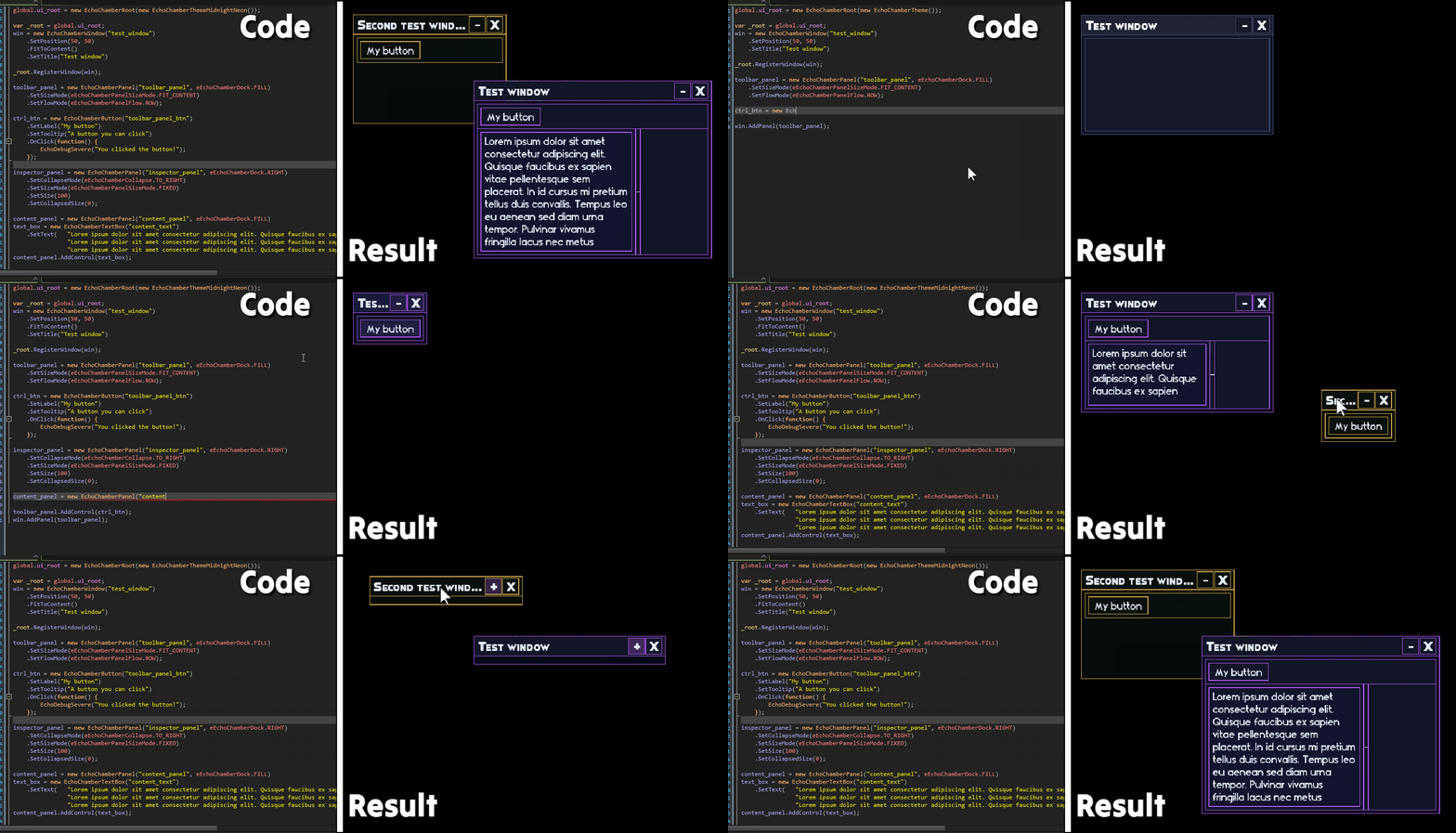
Echo Chamber is a full windowed UI system for building debug interfaces inside your game. The kind of thing where you want to see your AI state, tweak a value at runtime, monitor a stat, or inspect something that's hard to chase down from the output log alone.
Windows behave like real windows: draggable, resizable, z-ordered, minimizable, closeable, pinnable. Panels dock to edges or fill the remaining space, and can be collapsed with a click. Controls cover the basics well: buttons, toggles, sliders, dropdowns, text inputs, scrollable list views, separators, labels. Most of them support data binding, so you can bind a toggle directly to a struct field and it just stays in sync without you writing an OnChange handler.
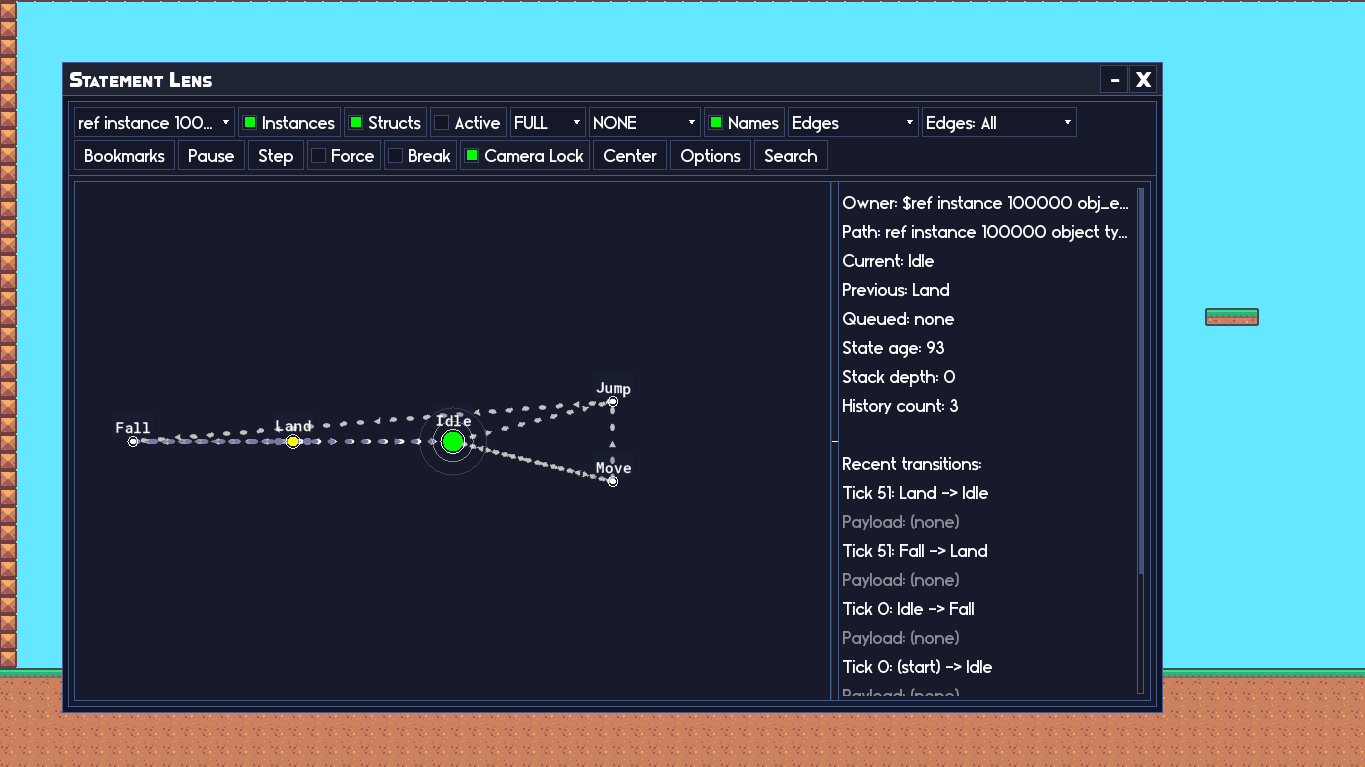
The part that makes it worth building complex things in: panels have custom content draw hooks, so you can draw whatever you want inside a panel and it clips and scrolls correctly within the window. That's how Statement's visual debugger (Lens) is built, entirely out of Echo Chamber, a custom draw hook doing the node rendering inside a panel.
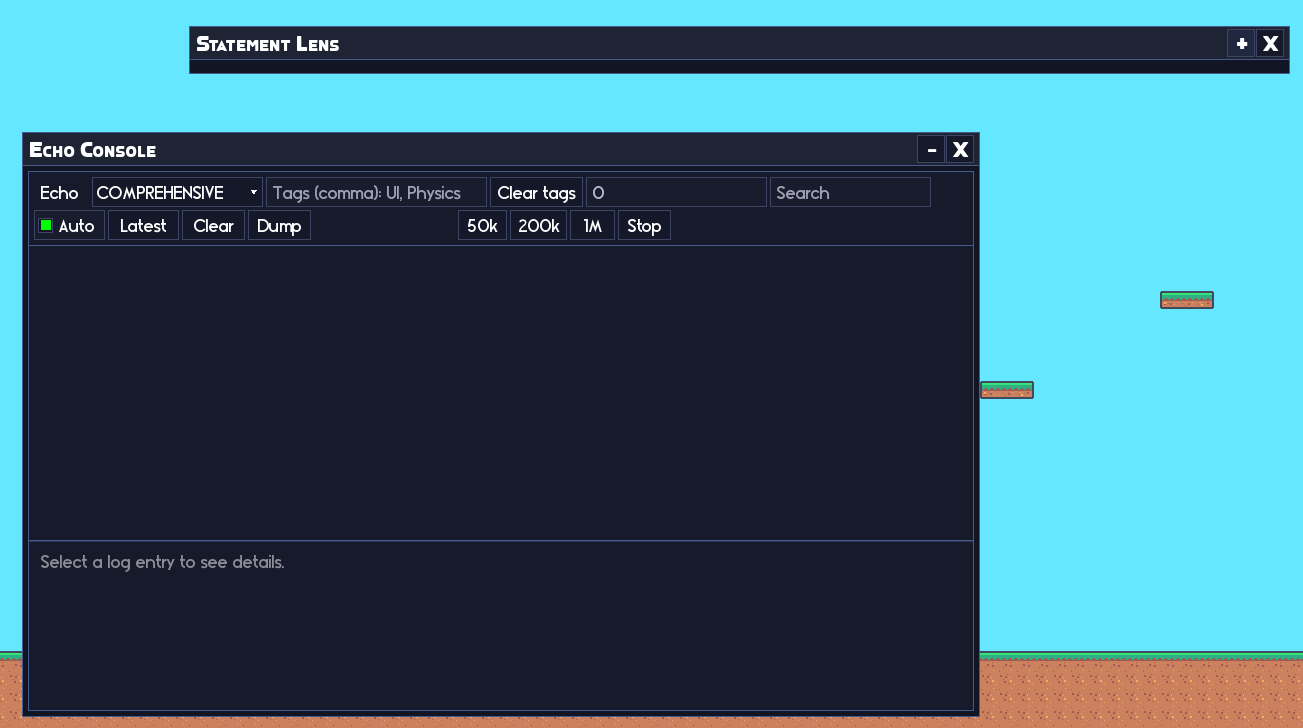
There's a built-in theme system with nine preset themes (MidnightNeon, AmberForest, SakuraPunch, ArcadeWave, and a few more) plus a full theme constructor if you want to build your own. Window layout, positions, z-order, and panel collapse states all save and load to an INI file, so your debug windows are where you left them next time you open the project. Toast notifications pop up in the corner when you need a brief non-blocking message. There's also a built-in Echo Console you can open with a single call if you want a live in-game log viewer.
Echo Chamber was originally built to serve Statement's debugger, but it's been used for enough other things that it's worth knowing it exists if you ever need to put together a complex debug setup.
Note: I have plans to extend Echo Chamber into a full HUD builder for actual games, but it's not fully optimised for that yet so I'd discourage it outside of debug use for now.
Documentation
Full documentation including API reference and usage examples for both Echo and Echo Chamber.
Requirements
GameMaker 2024.8+ (requires gpu_set_scissor()).
Support and feedback
If you run into issues or have ideas for improvements:
- GitHub Issues (bug reports and feature requests): https://github.com/RefresherTowel/Echo/issues
- Discord (questions, discussion, show and tell): https://discord.gg/w5NWDBwNta
Part of the RefresherTowel Games Toolkits
Part of a growing suite of GameMaker tools designed to play nicely together. If you like this style of tooling, you might also want:
- Whisper - make your narrative dynamic and reactive, like Hades or Crusader Kings III.
- Catalyst - makes modifiable statistics (and general numbers) super easy.
- Pulse - a signals and events framework (supporting queries that allow you to ask questions instead of just broadcast signals!)
- Statement - a state machine framework (with a fully visual in-game debugger).
- Quill - a FREE text box creator that automatically gives you advanced features like a right click context menu, proper text selection, multi-line text boxes, plus more!
- Fate - a FREE weighted drop system with an easy to use beginner setup, but with a huge amount of advanced features hiding in the weeds.
Get Pulse, Catalyst, Statement and Echo in the Ignition Kit bundle for a discount! Or buy the Full Suite Pass bundle (get access to all past and future tools) in one go!
Purchase
In order to download this tool you must purchase it at or above the minimum price of $4.99 USD. You will get access to the following files:
Development log
- Coloured bug reports (Echo Update v2.3.1)Mar 10, 2026
- Field Labels Take Over (Echo Update v2.3.0)Feb 19, 2026
- Echo v2.2.7 - Logs, Damned Logs, and StatisticsJan 11, 2026
- Echo v2.2.5 - Input Fix!Jan 08, 2026
- Echo v2.2.1 - HotfixJan 04, 2026
- Echo v2.2 - The one with the textboxes!Jan 03, 2026
- Echo v2.1 - Controls and hooks!Jan 03, 2026
- I accidentally built a debug UI builder (Echo Chamber)Dec 23, 2025