
Statement
Statement v1.1 launched! Features Statement Lens: a fully interactable advanced visual debugger for Statement
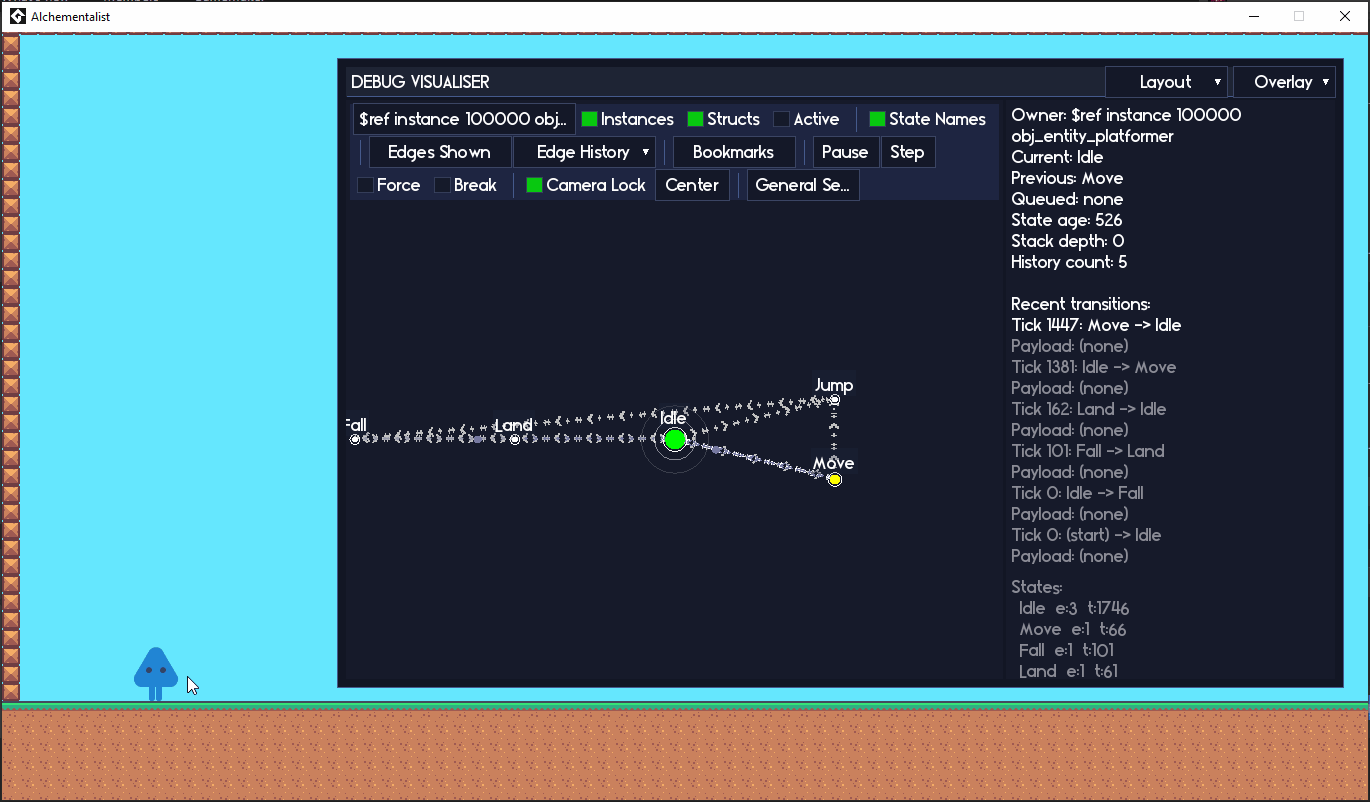
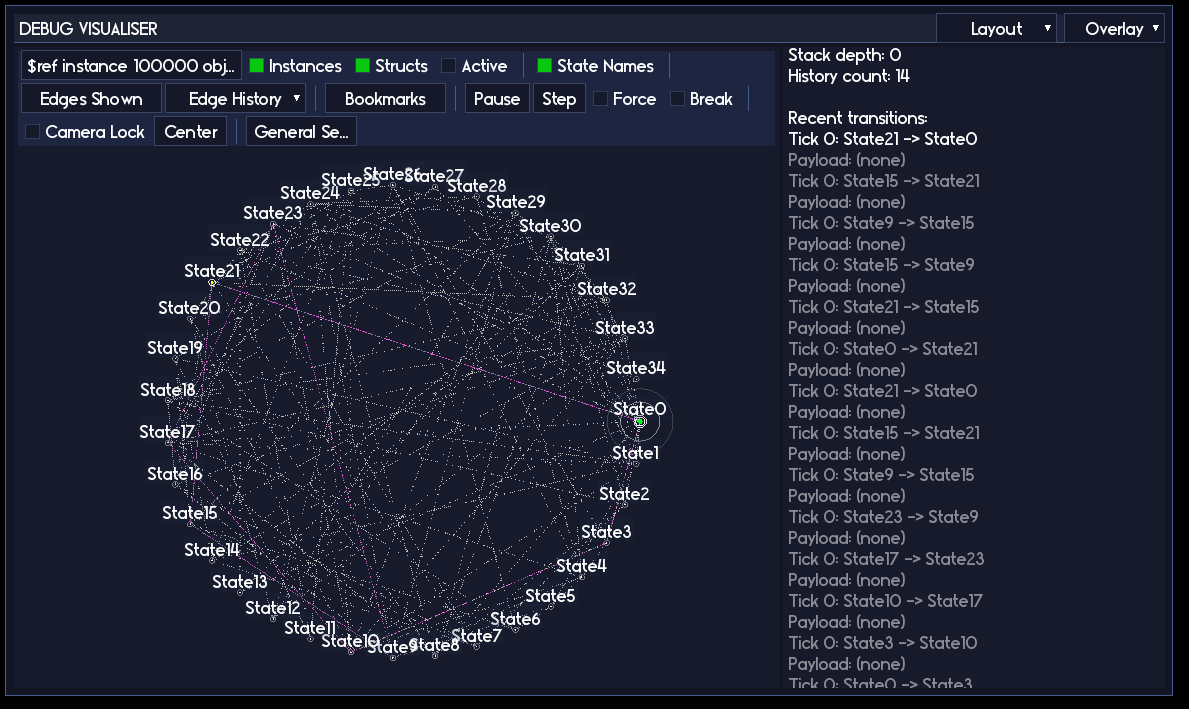
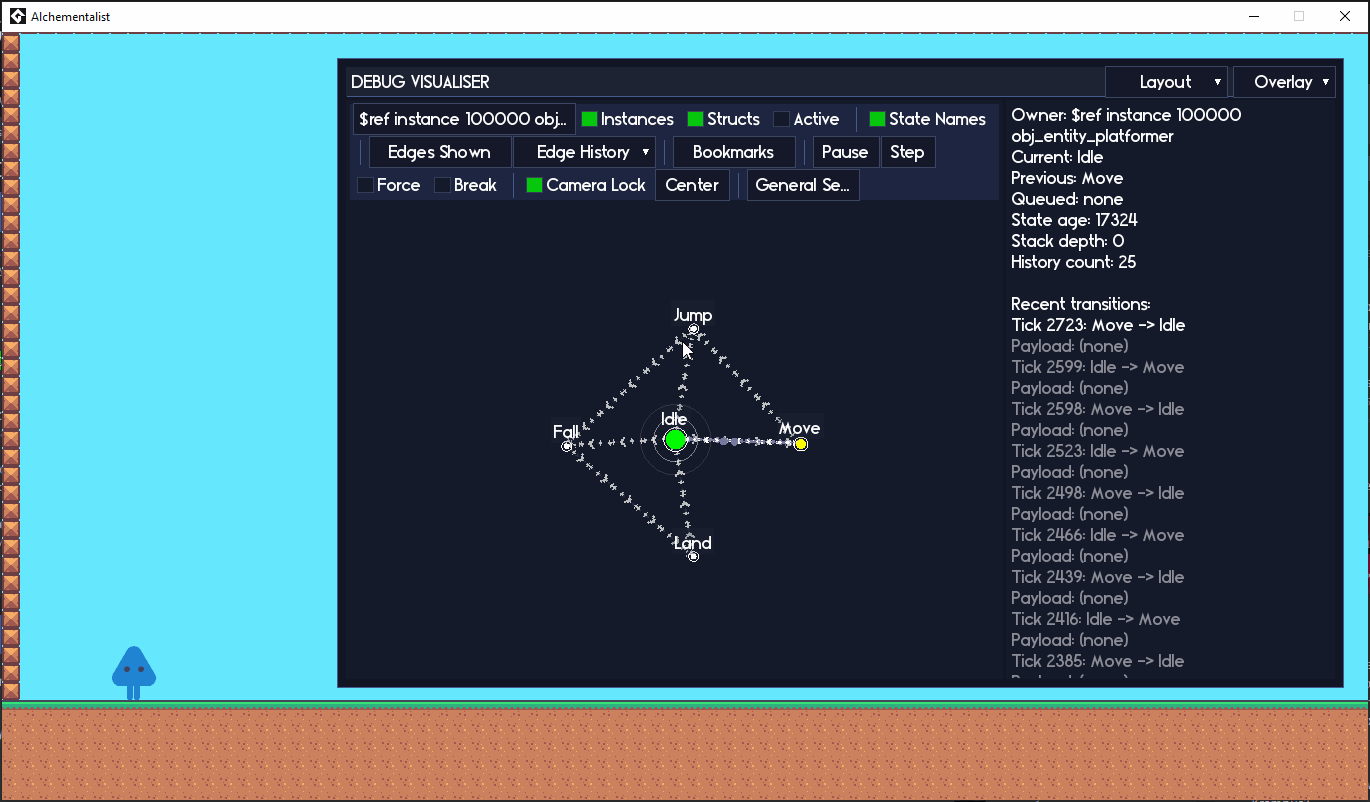
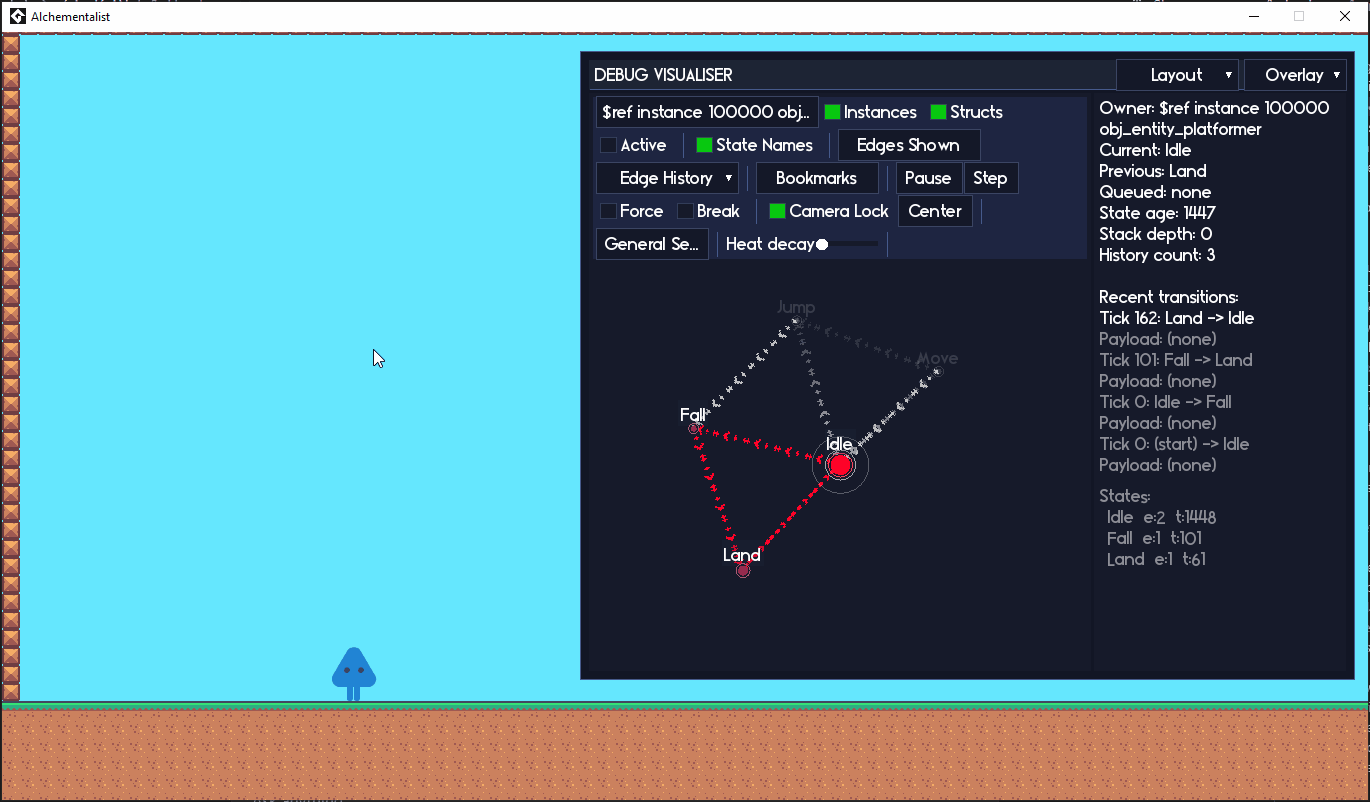
Statement v1.1 is out! Say hello to Statement Lens
So uh... I accidentally built a spaceship-grade visual debugger for state machines. What was supposed to be a nice little QoL feature somehow turned into Statement getting its own fully skinnable, fully interactive state machine command center.

I am calling it Statement Lens, and it ships as part of Statement v1.1. No separate download, no add-on, it is just there once you update.
What is Statement Lens?
Lens is a visual debugger that lets you see your state machines running in real time, then poke them with a stick to see what happens.
You can:
- See your entire machine as a graph, updating live while you play.
- Click on a state in the graph and have the machine actually transition into it. No extra code. No special hooks. Just click.
- Put breakpoints on states and transitions so the machine pauses itself and lets you step through one Update() tick at a time.
- Overlay a heat map to see which states are doing all the work and which ones are lonely and never visited.
- Swap layouts (FULL, RADIAL, CLOUD, EGO) to look at the same machine from different angles depending on what you are trying to understand.
If you have ever stared at a wall of state logic and thought "this used to make sense, I swear," Lens is basically a pair of glasses for that moment.
Drive your state machines from the debugger
The thing that still feels a bit illegal to me is how much control you have from inside the debugger itself.
Want to jump straight into your fourth boss phase without playing through the first three? Open Lens, click the phase 4 state, done. No cheat code, no temporary debug script, no "remember to remove this before shipping" comments. Just click.

You can even give states a default debug payload, so when you jump to them
from Lens they get sensible data automatically. If your transitions normally
pass along something like damage or a target id, you can set a
nice default for "debug jumps" and not worry about crafting a perfect call
by hand.
Breakpoints, but for state machines
Lens has actual breakpoints you can toggle on:
- States (break when we enter this state).
- Edges (break when this specific transition fires).
When a breakpoint triggers, the owning state machine pauses itself. You can then:
- Use the Pause / Step buttons in the UI to walk through one Update() at a time.
- Inspect recent transition history and payloads.
- Jump to other states, flip filters, swap layouts, etc.
The important bit: this is all happening live inside your running game. The player, camera, particles, whatever can keep going while you step your enemy AI one frame at a time. It feels a bit like having a tiny dedicated debugger just for a single state machine.
Heat maps and history trails
Lens keeps a ring buffer of recent transitions and some stats per state/edge. That lets it do a couple of fun things:
- Heat overlays based on time spent in a state or how many times it has been visited.
- Fading history trails showing the path the machine took to get where it is now.
- Little "sparks" that slide along the path so you can read the sequence at a glance.
This makes it super obvious when:
- Some state you thought was important never actually fires.
- You have a hot little loop chewing up most of the frame time.
- There is a weird edge case path you only hit once every few minutes.
Instead of "I guess I will sprinkle logs everywhere and hope", you can literally see the story the machine is telling.
Layouts: FULL, RADIAL, CLOUD, EGO
Different questions need different lenses (sorry, I had to). Lens comes with multiple layouts you can flip between on the fly:
- FULL – Big picture, force-directed layout for the whole machine.
- RADIAL – States fanning out from a center; nice for phase-based flows or menus.
- CLOUD – Looser clustering that can show how groups of states relate.
- EGO – Focus on one state at a time and hop between neighbors with the keyboard.
EGO mode in particular is great for huge graphs: you park one state in the middle and use WASD / arrow keys to "walk" the graph instead of panning around forever.
Skins, themes, and pretending your debugger is a sci-fi control panel
Because I have absolutely no self-control, the entire debug UI runs on a skinnable theme system. Colors, fonts, edges, sparks, UI widgets, all of it is driven by a theme struct you can tweak.
If you want your state machine debugger to look like a neon hacker console or a minimalist blueprint, go wild. Lens will happily cosplay whatever you want it to be.
Delta time friendly updates
Alongside Lens, v1.1 also adds better support for delta time / custom tick rates:
- Per-machine time scaling.
- Global time scaling.
- Easy "run this machine N times per step" or "only tick every N steps" behavior.
If you are running a fixed timestep, a variable timestep, or some hybrid setup, you can make Statement play nicely with it instead of fighting you.
How to get it
If you already own Statement, v1.1 is a free update.
Grab the new download from your itch library,
drop it into your project, and flip the STATEMENT_DEBUG macro on
while you are working.
If you do not own it yet and any of this sounds like it might save you an afternoon (or ten) of banging your head against spaghetti states, you can pick it up here:
https://refreshertowel.itch.io/statement
Lens on its own would have been worth the update for me. The fact that it comes bundled with the whole state machine framework is just the cherry on top.
As always, if you end up using Statement or Lens in a project, I would love to hear about it. A rating, comment, or little "this saved my butt" story on itch helps a ton.
Catch you on the flipside, my peeps.
Leave a comment
Log in with itch.io to leave a comment.